RAPTOR is a contemporary, mesh-based 3D level editor where you build, texture, light, and script environments, all in one interface.
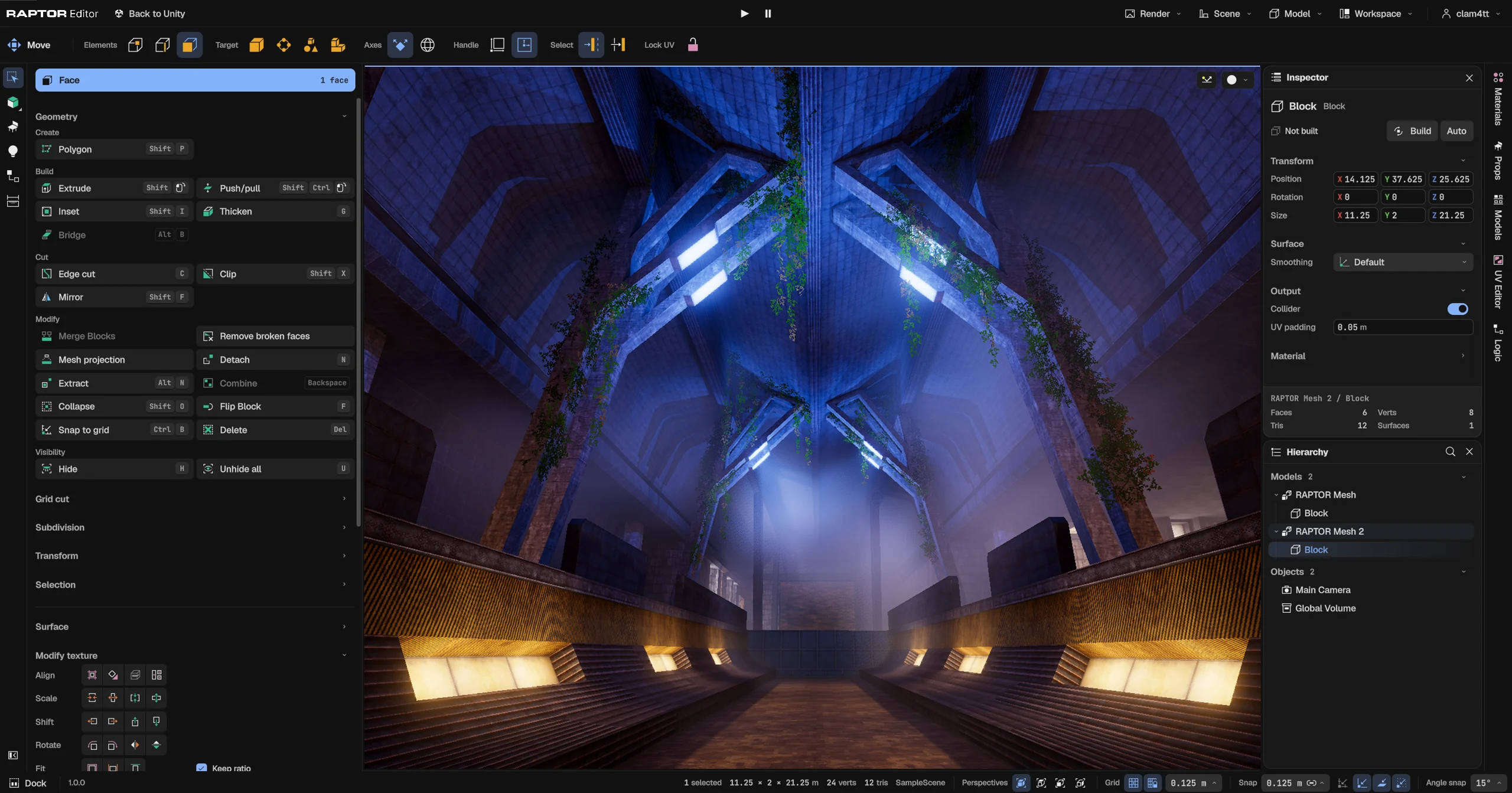
Your first room in minutes
It's like working in Hammer 2 or Scythe, in Unity. RAPTOR is mesh-based, with a workflow built for level designers, while being just as easy as brush-based editors.
Incredibly fast UV editing
Adjust textures in seconds, instead of fighting another UV editor. Paint materials straight across faces, or hotspot whole surfaces from your own texture sheets.
Place props using live physics
Fill a level from your own prefab folders. Drop a prop onto the surface under it, or let a whole pile fall, tumble and settle on its own.
Light a scene in real time
Place lights, see the result live with ray-tracing, then bake.
Compatible with Unity’s Progressive Lightmapper & Bakery
No-code scripting
Create simple or crazy interactions & level logic using our zero-code node system.

A modular level editor built on the principle that the tools we use every day should make us more creative
RAPTOR is the realisation of the workflow I wanted while making my own game. It makes creating levels addictive. It's a tool I personally use every day, and because of this, RAPTOR is forever evolving.
DocumentationRequirements
- Unity 6Every release, from 6.0 to 6.7
- URPUniversal 3D
- WindowsBuilt for Windows 11
FAQ
No. Bake lighting uses the lightmapper built into Unity. If you already own Bakery, RAPTOR finds it and uses that.
No. It uses hardware ray tracing when the GPU has it, and a slower compute path when it does not.
Yes. Add your own material packs in Project Settings, and point Props at any folder of your prefabs. A starter pack of prototype materials comes with RAPTOR.
Ordinary Unity content. Build makes each model its render mesh, lightmap UVs and collision, and Save model stores it as a prefab in your project.
Yes. Logic runs in Play and in a built player, single-player out of the box. A networked game can host Logic itself.
Yes. RAPTOR has a built-in player controller, so you can fully playtest a level in a blank project. It is great for external designers who do not need an entire project on their system, and it is completely optional.
The documentation covers every tool, and the Discord server is where to ask questions and report bugs.